How to Use the Mazda Radar Cruise Control (MRCC)
MRCC operation conditions
The MRCC can be set when all of the following conditions are met.
-
The brake pedal is not depressed.
-
The vehicle speed is about 0 km/h (0 mph) to 145 km/h (90 mph).
-
The Hill Descent Control is not operating.
-
The Driver Monitoring (DM) is operating normally.
Setting the MRCC
-
If the MRCC standby indicator light (white)
 is not turned on, press and hold
  on the steering switch.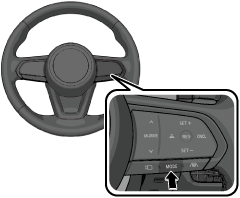
The system is switched on and the MRCC standby indicator light (white)
turns on. -
If the steering assist indicator light (white)
 is turned on, press
  on the steering switch.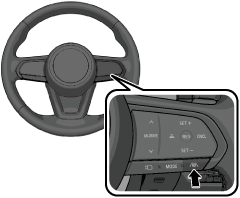
The MRCC turns on and the steering assist indicator light (white)
turns off. -
Accelerate to the desired speed.
-
Press
 or
or  on the steering switch.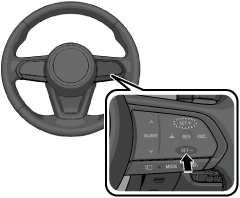
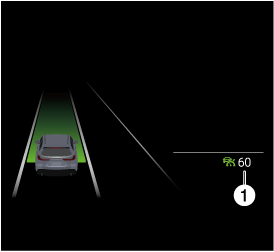
Constant speed driving starts when the vehicle speed is set. In addition, the set speed is displayed on the screen, and the MRCC standby indication (white)
changes to the MRCC set indication (green)  .
.
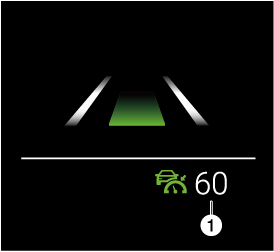
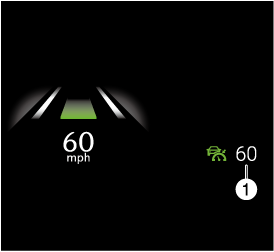
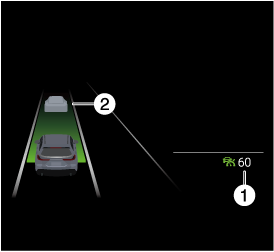
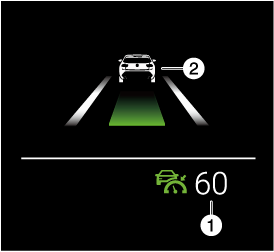
If a vehicle ahead is detected while traveling at a constant speed, the system switches to headway control. The vehicle ahead indication is displayed on the screen while in headway control.
|
Driving condition |
Instrument cluster display |
Active driving display indication |
|
|---|---|---|---|
|
i-ACTIVSENSE display |
Other than i-ACTIVSENSE display |
||
|
During travel at constant speed |
 |
 |
 |
|
During travel under headway control |
 |
 |
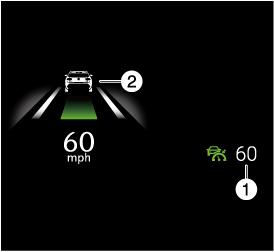 |
1 Set speed
2 Vehicle ahead indication
When the driver operates the turn signal to change to a passing lane while driving at a vehicle speed of about 80 km/h (50 mph) or faster, the system gently accelerates to assist in passing.
When the driver operates the turn signal to change lanes and get behind a vehicle moving slower than your vehicle while driving at a vehicle speed of about 80 km/h (50 mph) or faster, the system gently decelerates to assist in changing lanes.
If there is a structure on the road or an obstruction at a low height off the ground in front of the vehicle, the system may recognize it as a vehicle ahead.
Acceleration and deceleration by accelerator pedal operation takes priority while traveling at a constant speed or in headway control. When the accelerator pedal is released, the vehicle returns to driving at a constant speed or headway control at the set speed.
If a vehicle ahead is traveling at an extremely low speed, the system may not detect it correctly.
While driving using the MRCC, intended engine braking is not applied even if the shift selector is operated.
The brake lights turn on while the brakes are operating by the MRCC control.
From the MRCC standby condition, press and hold on the steering switch to switch to the cruise control standby condition.
The acceleration strength of the MRCC can be switched using Mazda Connect.
Tap  displayed on the navigation bar of the center display to set, or consult an Authorized Mazda Dealer.


If the vehicle ahead stops during headway control, your vehicle in headway control also stops. When the vehicle is stopped, the MRCC indicator light  in the instrument cluster turns on.
When the vehicle ahead accelerates from a stop and one of the following operations is performed, your vehicle starts driving.
-
Press
 on the steering switch.
 -
Depress the accelerator pedal.
If the vehicle ahead resumes driving within 3 seconds after the vehicle was stopped by the system, your vehicle also resumes driving automatically.
If the driver monitoring determines that the driver is looking ahead while driving the vehicle on a highway, the vehicle automatically starts moving even if 3 seconds or longer have passed.
However, if the system cannot determine that the vehicle is driven on an expressway (such as when driving on an expressway above a general road) or if the driver monitoring camera cannot determine the driver is paying attention through head position and eye gaze (such as when the driver is wearing sunglasses or a mask), the vehicle does not start automatically.
Refer to Driver Monitoring Camera (Search).
If the vehicle is stopped by the system continuously for 10 minutes or longer, the parking brake is applied automatically. At this time, the MRCC is canceled.
Even if the MRCC is canceled while the vehicle is stopped, the vehicle is held in its stopped position.
Refer to AUTOHOLD (Search).
If the i-stop operation conditions are met while the vehicle is stopped, the i-stop function operates without depressing the brake pedal. The engine restarts automatically when you start driving the vehicle.
Refer to i-stop (Search).
Changing the set vehicle speed
Changing the set vehicle speed using the steering switch
Operate or on the steering switch until the desired speed is reached.
-
Press and release immediately: 1 km/h (1 mph)
-
(Israel)
Press and hold/flick: 10 km/h (5 mph)
-
(Except Israel)
Press and hold: 10 km/h (5 mph)
The flick operation of the steering switch can be turned on using Mazda Connect.
Tap displayed on the navigation bar of the center display to set, or consult an Authorized Mazda Dealer.
Changing the set vehicle speed using the accelerator pedal
Depress the accelerator pedal and press or on the steering switch at the desired speed.
Reading the set speed from the speed limit sign using the steering switch (Speed Limit Assist only)
Press  on the steering switch when the speed sign set indication is turned on.
The function which recognizes speed limit signs has limitations. Always check the speed that was read before setting the vehicle speed.
If the speedometer unit and the speed limit sign unit differ, the driver may read a speed that is not intended.
The Speed Limit Assist uses the Traffic Sign Recognition system (TSR).
Refer to Traffic Sign Recognition System (TSR) (Search).
The Speed Limit Assist cannot read speeds of less than 30 km/h (19 mph).
Set vehicle speeds read from speed limit signs can be adjusted.
Tap displayed on the navigation bar of the center display and select “Safety” → “Driver Assistance System” → “Speed Limit Sync Offset”, or consult an Authorized Mazda Dealer.
The Speed Limit Assist can be turned off.
Tap displayed on the navigation bar of the center display and select “Safety” → “Driver Assistance System” → “Traffic Sign Speed Limit Sync”, or consult an Authorized Mazda Dealer.
Setting the distance-between-vehicles during headway control
-
Press
 on the steering switch.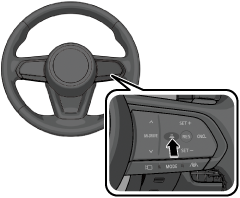
MRCC is not operating (white)
|
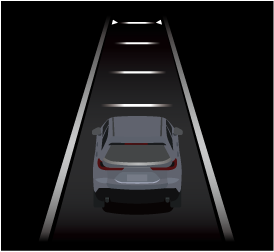
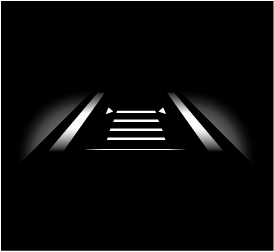
Distance-between-vehicles guideline (at 80 km/h (50 mph) vehicle speed) |
Instrument cluster display |
Active driving display indication |
|
|---|---|---|---|
|
i-ACTIVSENSE display |
Other than i-ACTIVSENSE display |
||
|
Long (about 70 m (229 ft)) |
 |
 |
 |
|
Medium (about 60 m (196 ft)) |
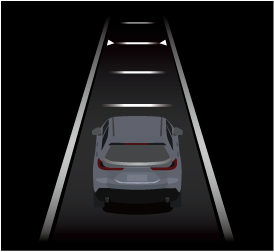 |
 |
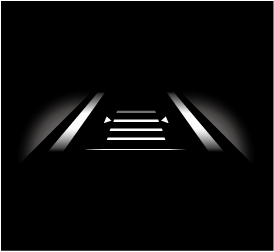 |
|
Short (about 45 m (147 ft)) |
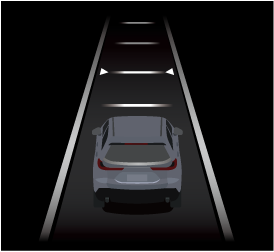 |
 |
 |
|
Extremely short (about 30 m (98 ft)) |
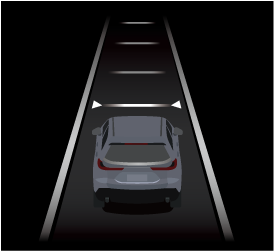 |
 |
 |
MRCC is operating (green)
|
Distance-between-vehicles guideline (at 80 km/h (50 mph) vehicle speed) |
Instrument cluster display |
Active driving display indication |
|
|---|---|---|---|
|
i-ACTIVSENSE display |
Other than i-ACTIVSENSE display |
||
|
Long (about 70 m (229 ft)) |
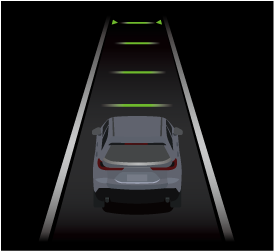 |
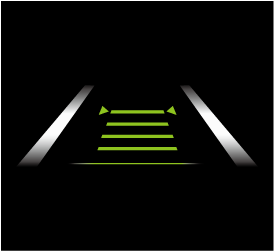 |
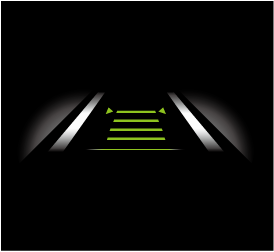 |
|
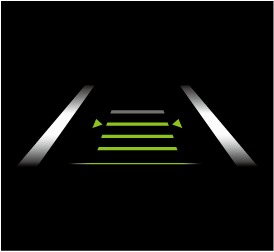
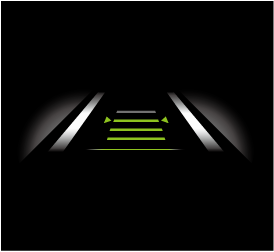
Medium (about 60 m (196 ft)) |
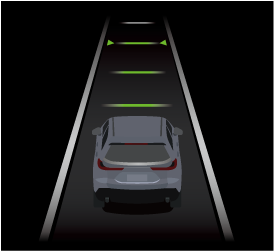 |
 |
 |
|
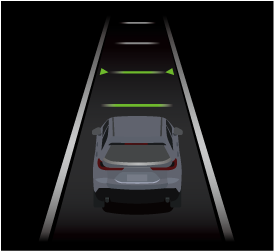
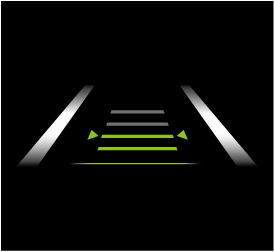
Short (about 45 m (147 ft)) |
 |
 |
 |
|
Extremely short (about 30 m (98 ft)) |
 |
 |
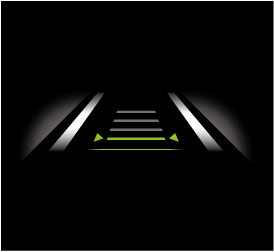 |
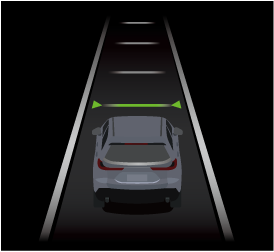
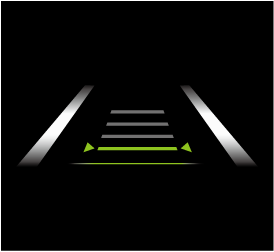
The distance-between-vehicles can be set to 4 levels: Long, medium, short, and extremely short distance.
The distance-between-vehicles differs depending on the vehicle speed, and the slower the vehicle speed, the shorter the distance.
Close proximity warning
If your vehicle approaches a vehicle ahead while in headway control, a warning sound and a display cautions you.
Instrument cluster

1 “Depress Brake Pedal.”
The close proximity warning may not be activated in the following cases.
-
The vehicle is driven at the same speed as the vehicle ahead.
-
Directly after the MRCC is set.
-
Immediately after the accelerator pedal is released.
-
Another vehicle cuts into the driving lane.
Do not use the MRCC under conditions in which the close proximity warnings are frequently activated.
The MRCC is canceled temporarily
If any of the following conditions is met, the MRCC is canceled temporarily.
-
The brake pedal is depressed.
-
 on the steering switch is pressed.
 -
The shift selector is shifted to a position other than D.
-
The vehicle ahead disappears while driving at a speed of about 30 km/h (19 mph) or slower.
-
The TCS/DSC has operated.
-
The Smart Brake Support (SBS) has operated.
-
The front radar sensors cannot detect target objects.
-
The parking brake is applied.
-
The driver's seat belt is unfastened.
If the MRCC is temporarily canceled, it operates at the previously set speed by pressing on the steering switch.