How to Use the Front Cross Traffic Alert (FCTA)
Operating the FCTA
The FCTA operates when all of the following conditions are met and the system detects an approaching vehicle at a speed of about 5 km/h (3 mph) or faster from the front side.
-
The vehicle speed is less than about 15 km/h (9 mph).
-
The shift selector is in the D or N position.
When the FCTA is operating, the driver is notified of the danger by the warning sound (only driving forward) and the screen display according to the situation.
Screen display (white)
When your vehicle is stopped or the vehicle speed is about 8 km/h (5 mph) or faster, the screen display (white)*1 notifies you that a vehicle is approaching.
Instrument cluster (i-ACTIVSENSE display)
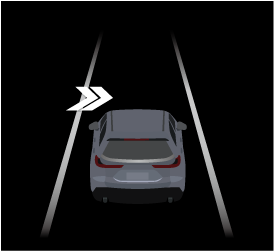
Instrument cluster (Other than i-ACTIVSENSE display)

Active driving display

360° view monitor
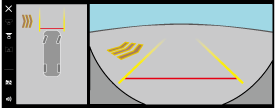
-
The instrument cluster screen display (white) is displayed only when the instrument cluster is set to the i-ACTIVSENSE display.
Screen display (amber)
When all of the following conditions are met, the screen display (amber) and warning sound notify the driver of the possibility that a collision may occur with an approaching vehicle.
-
The vehicle speed is about 8 km/h (5 mph) or slower.
-
The brake pedal is not depressed.
Instrument cluster (i-ACTIVSENSE display)
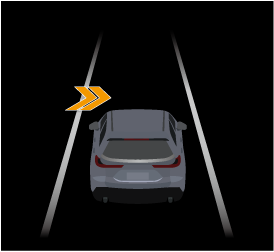
Instrument cluster (Other than i-ACTIVSENSE display)

Active driving display

360° view monitor
The FCTA may operate with stationary objects on the road or the roadside (such as guardrails, sidewalls, parked vehicles, and outdoor air conditioner units (equipment with rotating mechanism)).
The front side radar sensors may not detect objects and the FCTA may not operate normally.
Refer to Radar Sensors (Search).
The FCTA may operate even if there is no target object in the following cases.
-
There are structures (such as guardrails, walls, signs, road signs, utility poles, street lamps) on the side of your vehicle.
-
The vehicle is making a curve.
-
The vehicle is waiting for a traffic light at a wide intersection.
-
The vehicle is driven through a roundabout, a right-turn lane, or a left-turn lane.
The FCTA may not operate normally in the following cases.
-
There is a grade separation (such as roads, rail lines, monorails) in front of your vehicle.
-
There are obstructions between your vehicle and approaching vehicle.


Turning off the warning sound
There are 2 ways to turn off the warning sound while the FCTA is operating.
-
Turn off the warning sound using Mazda Connect.
Tap
 displayed on the navigation bar of the center display to set, or consult an Authorized Mazda Dealer.
 -
Turn off the warning sound using the i-ACTIVSENSE mute switch.
Refer to How to Use the i-ACTIVSENSE mute switch (Search).
Turning off the FCTA
The FCTA can be turned off using the Mazda Connect.
Tap displayed on the navigation bar of the center display to set, or consult an Authorized Mazda Dealer.