How to Use the Mazda intelligent Drive Select (Mi-Drive)
-
Press
 switch or
  switch on the Mi-Drive switch.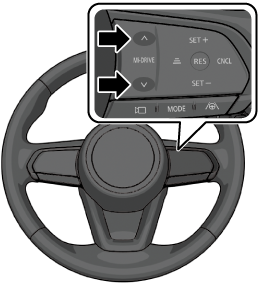
-
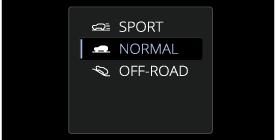
While checking the list displayed in the instrument cluster, push the
switch or switch on the Mi-Drive switch to select drive mode.
Or select the desired drive mode on the centre display.
Instrument cluster
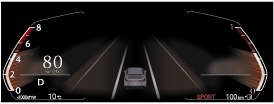
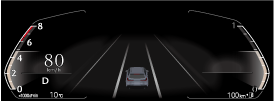
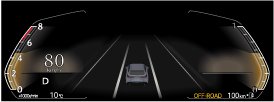
When the drive mode is set, the display in the instrument cluster changes.
(SPORT Mode)
Instrument cluster
(NORMAL Mode)
Instrument cluster
(OFF-ROAD Mode) (Some Models)
Instrument cluster
Depending on driving conditions when selecting SPORT mode/OFF-ROAD mode, the vehicle may perform shift-down or accelerate slightly.
When SPORT mode/OFF-ROAD mode is selected, driving the vehicle at higher engine speeds increases and fuel economy may worsen. Canceling SPORT mode/OFF-ROAD mode during normal driving is recommended.
When setting the Mazda Radar Cruise Control (MRCC)/Cruising & Traffic Support (CTS) while driving in SPORT mode, the mode is switched to NORMAL mode. In addition, while the MRCC is being used, the mode cannot be switched to SPORT mode.
The driving mode cannot be switched in the following cases.
-
The Antilock Brake System (ABS) is operating.
-
The Traction Control System (TCS) is operating.
-
The Dynamic Stability Control (DSC) is operating.
-
The steering wheel is being operated abruptly.
The driving mode in which the display in the instrument cluster is grayed out cannot be selected.
When the ignition is switched OFF, the mode returns to NORMAL mode.