How to Use the Parking Sensor
The parking sensors operate
If the system detects an obstruction when all of the following conditions are met, a screen display and a warning sound notify the driver of the presence of the obstruction.
-
The shift selector is in a position other than P.
-
The vehicle speed is about 10 km/h (6.2 mph) or slower.
The screen display and warning sound change according to the distance from the obstruction.
In addition, if multiple obstructions are detected simultaneously, the warning sound for the nearest obstruction is activated.
Screen display
Vehicles with 360° view monitor (while outside mirrors folded out)
|
Distance between vehicle and obstruction |
Screen display |
|
|---|---|---|
|
About 2 m to 30 cm (79 in to 12 in) |
Indication when obstruction is farthest (yellow) 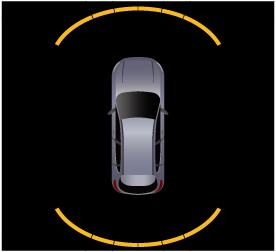 |
Indication when obstruction is closest (yellow) 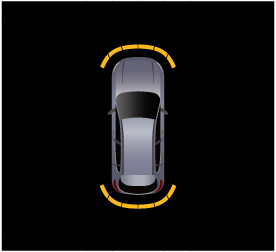 |
|
Within about 30 cm (12 in) |
Indication when obstruction is farthest (red) 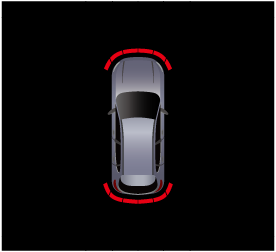 |
Indication when obstruction is closest (red) 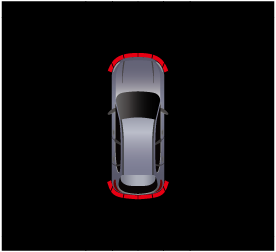 |
Vehicles with 360° view monitor (while outside mirrors folded in)/vehicles without 360° view monitor
(Front parking sensors)
|
Distance between vehicle and obstruction |
Screen display |
|
|---|---|---|
|
About 1 m to 30 cm (39 in to 12 in) |
Indication when obstruction is farthest (yellow) 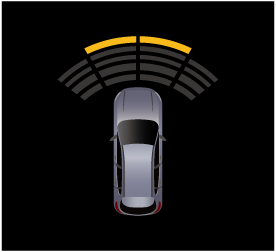 |
Indication when obstruction is closest (yellow) 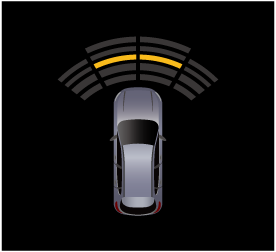 |
|
Within about 30 cm (12 in) |
Indication when obstruction is farthest (red) 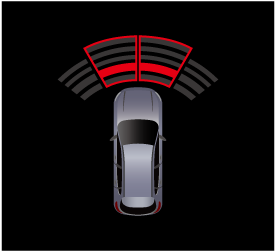 |
Indication when obstruction is closest (red) 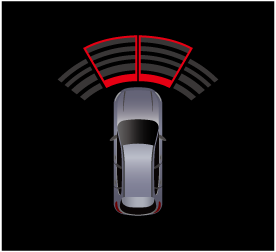 |
(Rear parking sensors)
|
Distance between vehicle and obstruction |
Screen display |
|
|---|---|---|
|
About 1 m 50 cm to 30 cm (59 in to 12 in) |
Indication when obstruction is farthest (yellow) 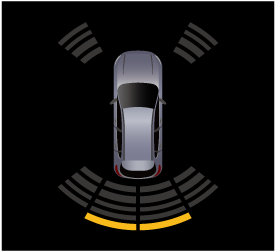 |
Indication when obstruction is closest (yellow) 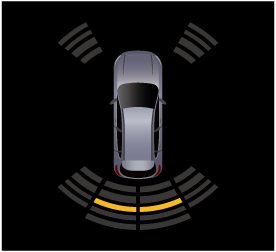 |
|
Within about 30 cm (12 in) |
Indication when obstruction is farthest (red) 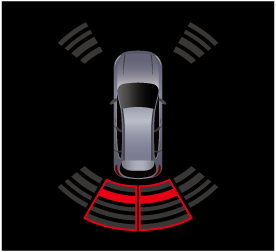 |
Indication when obstruction is closest (red) 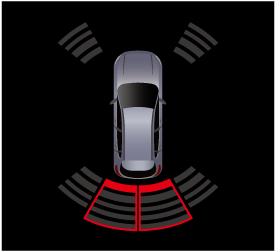 |
(Corner parking sensors)
|
Distance between vehicle and obstruction |
Screen display |
|
|---|---|---|
|
About 60 cm to 30 cm (24 in to 12 in) |
Indication when obstruction is farthest (yellow) 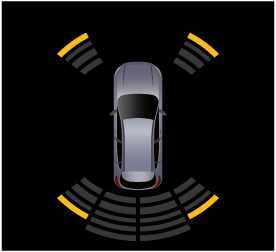 |
Indication when obstruction is closest (yellow) 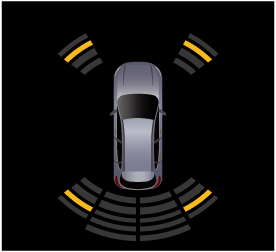 |
|
Within about 30 cm (12 in) |
Indication when obstruction is farthest (red) 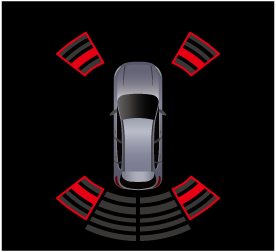 |
Indication when obstruction is closest (red) 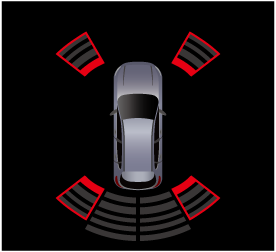 |
Warning sounds
|
Distance between vehicle and obstruction |
Warning sounds |
||
|---|---|---|---|
|
Front parking sensors |
Rear parking sensors |
Corner parking sensors |
|
|
About 1 m 50 cm to 1 m (59 in to 39 in) |
None |
Slow, intermittent sound |
None |
|
About 1 m to 60 cm (39 in to 24 in) |
Slow, intermittent sound |
Slow, intermittent sound |
None |
|
About 60 cm to 50 cm (24 in to 20 in) |
Intermittent sound |
Intermittent sound |
Intermittent sound |
|
About 50 cm to 30 cm (20 in to 12 in) |
Fast intermittent sound |
Fast intermittent sound |
Fast intermittent sound |
|
Within about 30 cm (12 in) |
Continuous sound |
Continuous sound |
Continuous sound |
If the SBS OFF indicator light  turns on with the smart brake support (SBS) not turned off, the parking sensors may not operate normally. Have your vehicle inspected by an Authorized Mazda Dealer.
If ultrasonic sensors cannot detect an object correctly, the system may not operate normally.
Refer to Ultrasonic Sensors (Search).
When the sensor detects an obstruction, the display switches to the 360° view monitor automatically. When an obstruction is no longer detected, the display switches to the display before the obstruction was detected. However, if the 360° view monitor or rear view monitor is displayed in advance, it continues to display no matter if an obstruction is detected or not.
When an obstruction continues to be detected at the same detection distance for 6 seconds or longer and the distance between the vehicle and an obstruction is about 30 cm or farther, only the warning sound is stopped. If the detection distance changes to the close side, the warning sound resumes.


Turning off the parking sensors
There are 2 ways to turn off the parking sensor.
-
Tap
 displayed on the navigation bar of the center display and tap
  →
→  . indicator light turns off.
 -
Tap
 displayed on the navigation bar of the center display to set, or consult an Authorized Mazda Dealer.
System problem indication
-
If a problem occurs, a message notifies the driver. The system may have a malfunction. Have the vehicle inspected by an Authorized Mazda Dealer.
-
If a message regarding a dirty sensor is displayed, remove any foreign matter from the sensor area. If the system does not recover, have the vehicle inspected by an Authorized Mazda Dealer.
-
If a certain obstruction detection indication is continuously displayed, make sure that there is no foreign matter on the sensor area corresponding to the detection indicator. If the system does not recover, have the vehicle inspected by an Authorized Mazda Dealer.