How to Use the Blind Spot Monitoring (BSM)
When the BSM operates
The BSM operates when all of the following conditions are met.
-
The vehicle speed is about 10 km/h (6.2 mph) or faster.
-
The system detects an approaching vehicle.
When the BSM operates, the driver is notified of the presence of an approaching vehicle using the BSM warning lights and a screen display (white)*1.
BSM warning light
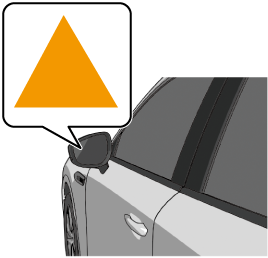
Instrument cluster
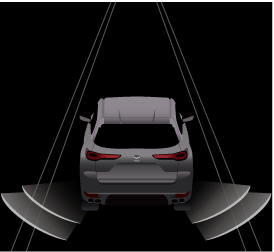
Active driving display

-
The instrument cluster screen display (white) is displayed only when the instrument cluster is set to the i-ACTIVSENSE display.
When the turn signal lever is operated in the direction in which an approaching vehicle is detected, the driver is notified of the danger by flashing of the BSM warning lights, the warning sound, and the warning indication (amber).
BSM warning light
Instrument cluster
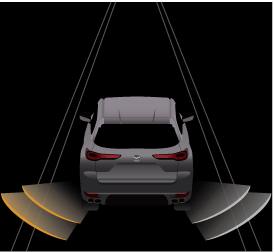
Active driving display

-
The BSM may not operate normally if any of the following conditions is met.
-
The rear side radar sensors cannot detect an object.
Refer to Radar Sensors (Search).
-
The road is on a steep slope.
-
The road is extremely wide.
-
You make a lane change 2 lanes or more.
-
-
The BSM may operate when turning at intersections in urban areas or with stationary objects on the road or the roadside (such as guardrails, sidewalls, and parked vehicles).
-
If a Mazda genuine trailer hitch is used, the BSM is automatically turned off when the trailer's electrical connector is connected.
-
When pulling a trailer other than with a Mazda genuine trailer hitch, or while an accessory such as a bicycle carrier is installed to the rear of the vehicle, turn off the BSM. Otherwise, the radar’s radio waves will be blocked causing the BSM to not operate normally.
-
The brightness of the BSM warning lights is linked to the panel light control.
Refer to Dashboard Illumination (Search).


When the Vehicle Exit Warning operates (Some Models)
The Vehicle Exit Warning operates when all of the following conditions are met.
-
The vehicle is stopped.
-
Within 3 minutes after the vehicle power is switched OFF or the vehicle power is switched ON.
-
The system detects an approaching vehicle.
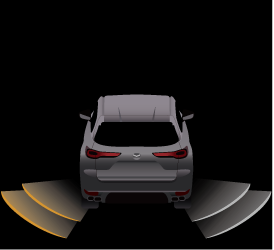
When the Vehicle Exit Warning operates, the driver is notified of the presence of an approaching vehicle using the warning lights and the instrument cluster screen display (white)*1.
BSM warning light
Instrument cluster
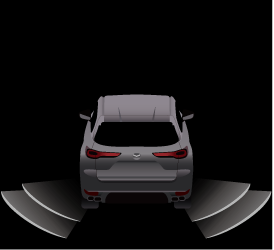
-
The instrument cluster screen display (white) is displayed only when the instrument cluster is set to the i-ACTIVSENSE display. However, when the vehicle power is OFF, the instrument cluster screen display (white) is not displayed.
In addition, when the door in the direction in which an approaching vehicle is detected is opened, the driver is notified of the danger by flashing of the warning lights, the warning sound, and the instrument cluster warning indication (amber).
BSM warning light
Instrument cluster
-
The Vehicle Exit Warning may not operate normally if any of the following conditions is met.
-
The rear side radar sensors cannot detect an object.
Refer to Radar Sensors (Search).
-
There is a parked vehicle near your vehicle.
-
Moving objects are slow.
-
-
The Vehicle Exit Warning is not automatically turned off even if a Mazda genuine trailer hitch is used.
-
If a trailer is towed or a bicycle carrier is attached to the rear of the vehicle, the radar signal may be blocked and the Vehicle Exit Warning may not operate correctly.
-
The Vehicle Exit Warning may operate with stationary objects on the road or the roadside (such as guardrails, sidewalls, and parked vehicles).
-
The brightness of the BSM warning lights is linked to the panel light control.
Refer to Dashboard Illumination (Search).
Turning off the warning sound
There are 2 ways to turn off the warning sound while the BSM and the Vehicle Exit Warning is operating.
-
Turn off the warning sound using Mazda Connect.
Refer to the Settings section in the Mazda Connect Owner's Manual.
-
Turn off the warning sound using the i-ACTIVSENSE mute switch.
Refer to How to Use the i-ACTIVSENSE mute switch (Search).
Turning off the BSM and the Vehicle Exit Warning
The BSM and the Vehicle Exit Warning can be turned off using the Mazda Connect.
Refer to the Settings section in the Mazda Connect Owner's Manual.