Audio Remote Control Switch Operation
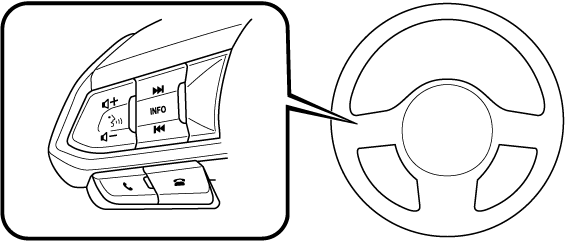
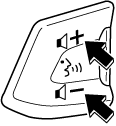
Adjusting the Volume
To increase the volume, press up the volume switch ( ).
).
To decrease the volume, press down the volume switch ( ).
).
Seek Switch
AM/FM/SiriusXM® (Some Models) radio
Press the seek switch ( ,
,  ). The radio switches to the next/previous stored station in the order that it was stored.
Press and hold the seek switch (, ) to seek all usable stations at a higher or lower frequency whether programmed or not.
Radio stations which have been previously stored in favorites can be called up by pressing the seek switch (, ) while any radio station stored in the favorite radio is being received. Radio stations can be called up in the order they were stored with each press of the switch (, ).

USB Audio/Bluetooth® Audio
Press the seek switch () to skip forward to the beginning of the next track.
Press the seek switch () within a few seconds after playback begins to track down to the beginning of the previous track.
Press the seek switch () after a few seconds have elapsed to start playback from the beginning of the current track.
Press and hold the seek switch (, ) to continuously switch the tracks up or down.
Pandora®/Aha™/Stitcher™ Radio
Press the seek switch () to skip forward to the beginning of the next track.
Press and hold the seek switch () to evaluate the playback of the current song as “Like”.
Press and hold the seek switch () to evaluate the playback of the current song as “Dislike”.
Pick up/hang up the Phone, or Activate Voice Control Using the Switch
Talk button
Activates the voice recognition. In addition, it skips the voice guidance.
Pick-up button
Answers incoming calls. In addition, after selecting a contact or dialing a number, it places the call when the button is pressed.
Hang-up button
Ends the call or refuses an incoming call. In addition, it ends the voice recognition operation.