Registering contacts to Favorites
Up to 100 contacts can be registered. Registering the phone number saves time by you not having to search for the person you want to call in the phonebook.
The contacts need to be input (downloaded phonebook) beforehand.
Refer to Downloading a phonebook (Search).


Registering to Favorites
-
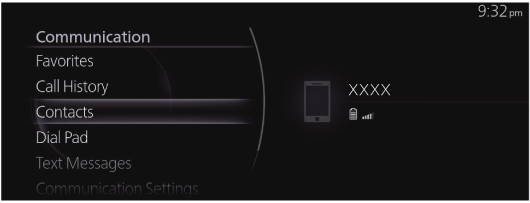
Select “Communication” on the home screen.

-
Select “Contacts”.
-
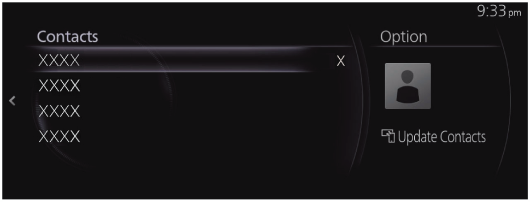
Select the contact you want to register to Favorites from the displayed contact list.
-
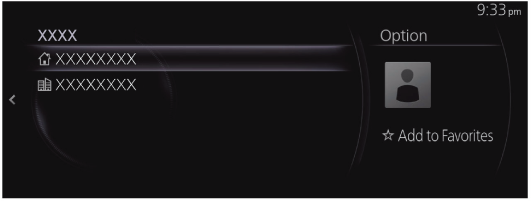
Select “Add to Favorites”.
Deleting Favorites/changing contact name of your Favorites
For deleting and changing contact names from your Favorites, refer to Favorites (Search).