

Energy Efficiency History (Some Models)
The energy efficiency history switches between the energy efficiency history and settings. They can be displayed by selecting each item on the center display.
-
Select “Information” on the home screen.
-
Select “Energy Efficiency History”.
-
Press the commander switch to display the menu.
-
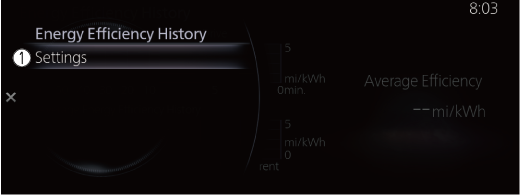
Select the item in the menu. Each item operates as follows:
-
Settings
Displays the settings for the energy efficiency history.
Energy Efficiency History
Displays the information regarding the energy efficiency.
-
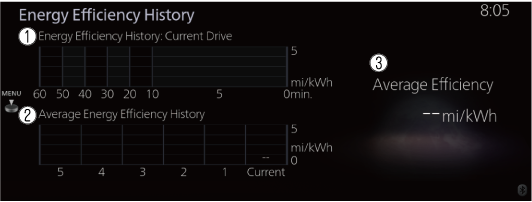
Energy Efficiency History: Current Drive
Displays the energy efficiency for the past 60 minutes.
-
Displays the energy efficiency every minute for the past 1 to 10 minutes.
-
Displays the energy efficiency every 10 minutes for the past 10 to 60 minutes.
-
-
Average Energy Efficiency History
Displays the average energy efficiency over the past 5 resets and after the current reset.
-
Average Efficiency
Calculates the average energy efficiency at regular intervals after vehicle travel starts, and displays it.
Settings
Displays the energy efficiency history settings screen.
The following settings can be changed in the settings screen.
-
Energy efficiency history reset.
-
Setting to reset or not reset the linked average energy efficiency indicated in the instrument cluster and the energy efficiency history (current) on the center display when tripmeter (TRIP A) is reset.
